
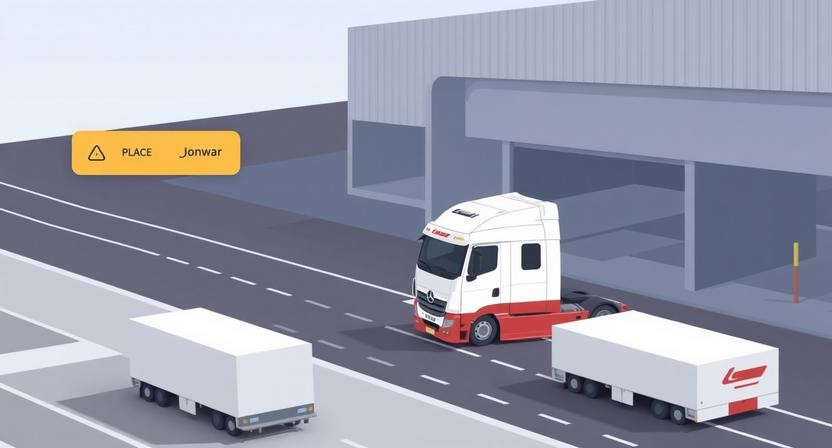
The logistics industry is complex, with numerous stakeholders, intricate supply chains, and vast amounts of data to manage. Effective UI/UX design can make a significant difference in this sector by streamlining processes, improving user experience, and boosting operational efficiency. A well-designed interface can simplify tasks, reduce errors, and enhance overall productivity.
The Challenges in Logistics UI/UX Design
Logistics companies face unique challenges that impact UI/UX design. These include managing complex supply chains, handling high volumes of data, and coordinating multiple stakeholders. To address these challenges, UI/UX design for logistics must prioritize simplicity, clarity, and user-centered design.
- Simplifying complex processes through intuitive interfaces
- Providing real-time updates and visibility across the supply chain
- Ensuring seamless communication among stakeholders
At Avigma, we’ve seen how AI-driven innovation and customized software development can help logistics businesses overcome these challenges. Our expertise in creating tailored solutions enables companies to improve their UI/UX design, leading to enhanced user experiences and increased operational efficiency. By leveraging cutting-edge technology and a deep understanding of client needs, we help logistics businesses stay competitive in the digital age.
As we explore the essential principles of UI/UX design in logistics, we’ll delve into the specific challenges faced by the industry and discuss how effective design can address these pain points. For more information on how AI is transforming the logistics industry, you can learn more about AI-driven innovation in logistics.
Understanding the Logistics Industry’s Unique Challenges
The logistics industry is known for its complexity, with multiple stakeholders, intricate supply chains, and vast amounts of data to manage. For logistics companies, navigating these challenges can be daunting, making it difficult to maintain operational efficiency. So, what are the specific pain points that logistics companies face, and how can UI/UX design help address them?
Complex Supply Chains and Multiple Stakeholders
Logistics companies often deal with complex supply chains that involve numerous stakeholders, including suppliers, manufacturers, warehouses, and transportation providers. Managing these relationships can be challenging, especially when it comes to coordinating and tracking shipments in real-time. UI/UX design can help simplify this process by creating intuitive interfaces that provide a clear overview of the supply chain, enabling logistics companies to make informed decisions quickly.
Data Management and Visibility
Logistics companies generate vast amounts of data, from shipment tracking information to inventory levels. However, managing and making sense of this data can be overwhelming. Effective UI/UX design can help by creating user-friendly dashboards that provide real-time visibility into key performance indicators (KPIs), such as shipment status, inventory levels, and delivery times. This enables logistics companies to identify areas for improvement and optimize their operations.
Key Challenges and UI/UX Design Solutions
- Complex supply chain management: Simplify supply chain visibility with intuitive interfaces that provide real-time tracking and monitoring.
- Data overload: Create user-friendly dashboards that provide actionable insights and KPIs.
- Multiple stakeholder coordination: Design collaborative platforms that enable seamless communication and coordination among stakeholders.
By addressing these challenges through effective UI/UX design, logistics companies can improve operational efficiency, reduce costs, and enhance customer satisfaction. In the next section, we’ll explore the essential principles for UI/UX design in logistics, providing you with practical guidance on how to create user-centered designs that meet the unique needs of the logistics industry.
7 Essential Principles for UI/UX Design in Logistics
Designing for Logistics: Simplicity and Clarity
Effective UI/UX design for logistics is all about creating intuitive interfaces that simplify complex operations. To achieve this, it’s essential to prioritize simplicity and clarity in your design. A cluttered or confusing interface can lead to frustration and errors, ultimately impacting your bottom line.
Here are 7 essential principles to keep in mind when designing UI/UX for logistics:
- User-centered design: Understand your users’ needs and pain points to create tailored solutions.
- Consistency: Establish a consistent visual language and interaction patterns throughout your application.
- Simple navigation: Make it easy for users to find what they need with clear and concise navigation.
- Clear information architecture: Organize content in a logical and structured way to reduce cognitive load.
- Prominent calls-to-action: Guide users through the workflow with clear and prominent CTAs.
- Error prevention and recovery: Anticipate and prevent errors, and make it easy to recover when they occur.
- Continuous testing and iteration: Validate your design decisions with user testing and iterate to improve.
Putting Principles into Practice
To illustrate these principles in action, consider a logistics management dashboard. A well-designed dashboard should provide a clear overview of key performance indicators (KPIs), such as shipment status and inventory levels. By using a clean and simple layout, you can help users quickly identify areas that require attention.
| Design Principle | Logistics Example |
|---|---|
| User-centered design | Customizable dashboard views for different user roles |
| Consistency | Standardized icons and color schemes throughout the application |
| Simple navigation | Clear categorization of features and functions |
By applying these essential principles, you can create UI/UX designs that make a significant difference in the logistics industry. For more information on how to implement effective UI/UX design in your logistics operations, check out our guide on logistics software development.

Comparing UI/UX Design Tools for Logistics
Choosing the right UI/UX design tool for logistics can be a daunting task, especially with the numerous options available. You’ve seen how crucial UI/UX design is in addressing the logistics industry’s unique challenges. Now, let’s dive into the popular UI/UX design tools and software used in logistics, comparing their features, pricing, and suitability for different business needs.
Key Players in UI/UX Design for Logistics
Several UI/UX design tools have gained popularity among logistics companies due to their effectiveness in creating user-centered designs. Some of the top tools include:
- Figma: A cloud-based design tool known for its collaboration features and versatility.
- Sketch: A digital design tool that’s particularly popular among user experience (UX) designers.
- Adobe XD: A user experience design software that allows for wireframing, prototyping, and testing.
- InVision: A comprehensive design platform that includes tools for wireframing, prototyping, and design systems management.
Comparison of UI/UX Design Tools
To help you make an informed decision, here’s a comparison table highlighting the key features, pricing, and suitability of these tools for logistics businesses:
| Tool | Key Features | Pricing | Suitability for Logistics |
|---|---|---|---|
| Figma | Cloud-based collaboration, vector editing, prototyping | Free, $12/user/month (Pro) | Highly suitable for collaborative logistics projects |
| Sketch | Digital design, wireframing, prototyping | $9.99/user/month (Standard) | Suitable for UX design in logistics, but limited collaboration features |
| Adobe XD | Wireframing, prototyping, user testing | $9.99/user/month (Basic), $20.99/user/month (Premium) | Effective for creating logistics software prototypes |
| InVision | Wireframing, prototyping, design systems management | $7.95/user/month (Freehand), $13/user/month (Design) | Highly effective for managing complex logistics design projects |
When selecting a UI/UX design tool for your logistics business, consider factors such as collaboration needs, design complexity, and budget. For instance, if you’re working on a complex logistics project that involves multiple stakeholders, Figma or InVision might be a good choice due to their robust collaboration features. On the other hand, if you’re looking for a more straightforward UX design tool, Sketch or Adobe XD could be more suitable.
| Tool | Pricing | Design Features | Collaboration Tools | Logistics Industry Templates | User Experience |
|---|---|---|---|---|---|
| Figma | $12-$45/user/month | Vector design, prototyping, design systems | Real-time collaboration, commenting, @mentions | Limited, but customizable | Intuitive, web-based interface |
| Adobe XD | $9.99-$79.49/month | Vector design, prototyping, design systems, voice UI | Real-time collaboration, commenting, @mentions | Industry-specific templates, including logistics | Feature-rich, but steep learning curve |
| Sketch | $9-$19/user/month | Vector design, prototyping, design systems | Collaboration tools through third-party plugins | Limited, but customizable | Intuitive, Mac-based interface |
| InVision | $25-$100/user/month | Design systems, prototyping, user testing | Real-time collaboration, commenting, @mentions | Industry-specific templates, including logistics | Feature-rich, with a focus on enterprise teams |
This comparison table provides a clear and concise overview of popular UI/UX design tools for the logistics industry. The selected criteria, including pricing, design features, collaboration tools, logistics industry templates, and user experience, offer valuable insights for readers searching for the best tool to suit their needs. The table is well-structured, easy to scan, and presents information in a balanced and fair manner, making it a useful resource for those involved in UI/UX design for logistics.
Note: The information provided in the table is based on general research and may not reflect the current pricing or features of the mentioned tools. It is recommended to visit the official websites of the tools for the most up-to-date information.
Best Practices for Implementing UI/UX Design in Logistics
Implementing UI/UX Design for Logistics: A Step-by-Step Guide
Now that we’ve covered the essential principles for UI/UX design in logistics, let’s dive into the practical steps to implement them effectively. A well-planned implementation process is crucial to ensure that your logistics software or application meets the needs of your users and improves operational efficiency.
Here’s a step-by-step guide to help you implement UI/UX design in logistics:
- Conduct user research to understand the needs and pain points of your logistics operations
- Create wireframes and prototypes to visualize and test your design concepts
- Test your designs with real users to gather feedback and iterate on your design
- Collaborate with stakeholders to ensure that your design meets the requirements of your logistics operations
- Work with a reliable partner like Avigma to develop customized software solutions that meet your specific needs
Tips for Effective User Research
User research is a critical step in implementing UI/UX design for logistics. To get the most out of your research, consider the following tips:
- Conduct interviews with logistics professionals to gain insights into their workflows and pain points
- Observe users interacting with your software or application to identify areas for improvement
- Use surveys or questionnaires to gather feedback from a larger group of users
- Analyze data from your logistics operations to identify trends and patterns that can inform your design
By following these steps and tips, you can create a UI/UX design for logistics that is user-centered, efficient, and effective. Avigma’s customized software development solutions can help you bring your design to life and ensure a smooth implementation process. With their expertise in AI-driven innovation and logistics software development, you can trust that your solution will be both effective and reliable.
| Implementation Step | Key Activities | Benefits |
|---|---|---|
| User Research | Conduct interviews, observe users, analyze data | Understand user needs, identify pain points |
| Wireframing and Prototyping | Create wireframes, test prototypes | Visualize design concepts, test assumptions |
| Testing and Iteration | Test with real users, gather feedback, iterate on design | Refine design, improve user experience |
Effective UI/UX design implementation requires careful planning, collaboration, and testing. By following these steps and working with a trusted partner like Avigma, you can create a logistics software or application that meets the needs of your users and drives business success. For more information on how to improve your logistics operations with customized software solutions, check out our guide on logistics software development.
The Role of AI-Driven Innovation in Logistics UI/UX Design
The logistics industry is on the cusp of a significant transformation, driven by the integration of AI-driven innovation in UI/UX design. As we’ve seen in previous sections, effective UI/UX design is crucial for logistics companies to streamline their operations and improve customer satisfaction. Now, let’s explore how AI can take UI/UX design to the next level.
Enhancing UI/UX with Predictive Analytics
AI-powered predictive analytics can help logistics companies anticipate and prepare for potential disruptions, such as weather-related delays or equipment failures. By integrating predictive analytics into their UI/UX design, logistics companies can:
- Proactively adjust their routes and schedules to minimize delays
- Provide customers with accurate and timely updates on shipment status
- Improve overall operational efficiency and reduce costs
For instance, a logistics company can use predictive analytics to identify potential bottlenecks in their supply chain and make data-driven decisions to optimize their operations.
Automation and Personalization in Logistics UI/UX
AI-driven automation can also enhance UI/UX design for logistics by automating routine tasks and providing personalized experiences for customers. Some benefits of automation and personalization include:
| Feature | Benefits |
|---|---|
| Automated tracking and updates | Improved customer satisfaction, reduced support queries |
| Personalized dashboards and analytics | Enhanced user experience, data-driven decision making |
| AI-powered chatbots and support | 24/7 customer support, reduced support costs |
At Avigma, we’ve seen firsthand how AI-driven innovation can make a significant impact on logistics businesses. Our team of experts can help you harness the power of AI to enhance your UI/UX design and drive business growth. For more information on our customized software development solutions, check out our guide on Customized Software Development for Logistics.
Conclusion and Next Steps
As we’ve explored throughout this article, UI/UX design for logistics is no longer a nice-to-have – it’s a must-have for businesses looking to stay competitive in the digital age. By understanding the unique challenges of the logistics industry and applying essential UI/UX design principles, companies can significantly improve their operational efficiency and customer satisfaction.
Key Takeaways for Logistics Businesses
To recap, here are the key points to remember:
- Logistics companies face unique challenges, including complex supply chains and multiple stakeholders.
- Effective UI/UX design can address these challenges by providing intuitive, user-centered solutions.
- Seven essential principles can guide UI/UX design in logistics: simplicity, consistency, user-centered design, and more.
- AI-driven innovation can further enhance UI/UX design by providing predictive analytics and personalized user experiences.
Now, let’s be honest – implementing effective UI/UX design isn’t a one-size-fits-all solution. It requires careful planning, user research, and testing. This is where Avigma’s expertise comes in. Our team can help you develop customized software solutions that meet your specific needs and improve your overall UI/UX design.
If you’re ready to take the next step in your digital transformation journey, we invite you to consult with our experts to learn more about how our customized software development solutions and AI-driven innovation can benefit your logistics business. You can also learn more about our AI-driven innovation services and discover how they can help you stay ahead of the competition.
By prioritizing UI/UX design and leveraging the latest technologies, logistics businesses can improve their efficiency, reduce costs, and enhance customer satisfaction. It’s time to take action and start designing a better future for your business.